 threejs-3d-assets
Park Bench
756 tris · 1 material · 1.8×0.94×0.73 m · GLB 81 KB · preview quality: purchase unlocks the full-detail files
Use it
After you buy, use the Download .glb / .mjs buttons and host that
file on your own site or drop it into your game. Your purchase includes the commercial license, so
the snippets below just point at your copy (the ./park-bench-dc8b62 path).
You do not put an API key in a website. The API key is
only for a coding agent or build script on your own machine or server (it can pull the files you own
straight from /dl/). Never ship it in public browser code.
The fastest path in three.js: one import, zero loaders. The module returns a ready THREE.Group with named parts.
import { createAsset } from './park-bench-dc8b62.mjs';
scene.add(createAsset());
Full working example (a complete copy-paste HTML page)
<!doctype html>
<script type="importmap">
{ "imports": { "three": "https://unpkg.com/[email protected]/build/three.module.js",
               "three/addons/": "https://unpkg.com/[email protected]/examples/jsm/" } }
</script>
<script type="module">
import * as THREE from 'three';
import { OrbitControls } from 'three/addons/controls/OrbitControls.js';
import { createAsset } from './park-bench-dc8b62.mjs';

const scene = new THREE.Scene();
scene.background = new THREE.Color(0xf3ecdc);
const camera = new THREE.PerspectiveCamera(45, innerWidth / innerHeight, 0.1, 100);
camera.position.set(3, 2, 4);
const renderer = new THREE.WebGLRenderer({ antialias: true });
renderer.setSize(innerWidth, innerHeight);
document.body.style.margin = 0;
document.body.appendChild(renderer.domElement);
scene.add(new THREE.HemisphereLight(0xffffff, 0x998877, 1.2));
const sun = new THREE.DirectionalLight(0xfff2e0, 2);
sun.position.set(4, 7, 5);
scene.add(sun);

scene.add(createAsset());
new OrbitControls(camera, renderer.domElement);
renderer.setAnimationLoop(() => renderer.render(scene, camera));
</script>
The standard route: load the GLB with GLTFLoader. The same file works in any glTF pipeline (Babylon.js, <model-viewer>, custom engines).
import { GLTFLoader } from 'three/addons/loaders/GLTFLoader.js';

new GLTFLoader().load('./park-bench-dc8b62.glb', (gltf) => {
  scene.add(gltf.scene); // real-world scale in meters, origin on the ground
});
Flat-shaded vertex colors on a single material: no textures to wire up, one draw call.
- Buy the asset, then download the .glb from this page.
- Unity: drag the file into Assets (glTFast or UnityGLTF import it). Godot: drop it into the project, it imports natively. Blender: File → Import → glTF 2.0.
- Place it as-is: real-world scale in meters, origin at ground level.
- Materials arrive as vertex colors on one material: no texture files, nothing to relink.
Using Claude Code, Cursor or another coding agent? This site is built for them: agent-readable docs at /llms.txt and a JSON API at /api. Paste this prompt:
Your agent authenticates with an API key: create one under My assets after purchase, and it can fetch everything you own.
I own "Park Bench" on threejs-3d-assets.com. My API key is in
the THREEJS_ASSETS_KEY env var. Download it into my project and add it
to my three.js scene:

  metadata: GET https://threejs-3d-assets.com/api/assets/park-bench-dc8b62  files:    GET https://threejs-3d-assets.com/dl/park-bench-dc8b62.glb
            GET https://threejs-3d-assets.com/dl/park-bench-dc8b62.mjs
  (both with header  Authorization: Bearer $THREEJS_ASSETS_KEY)

Site docs for agents: https://threejs-3d-assets.com/llms.txt
Every asset in this catalog shares one identical vertex-colored material, with no textures at all. That means whole scenes collapse into a single draw call: the same result Synty-style packs get from a texture atlas, without the atlas.
import { mergeAssets } from 'https://threejs-3d-assets.com/cdn/merge.mjs';

// position your assets first, then:
const { merged, dynamic } = mergeAssets([
  terrain, tree, rock,
  asset,
]);
scene.add(merged);                  // ONE draw call, static
dynamic.forEach(d => scene.add(d)); // rigged parts, still movable
Placing many copies of one model? Use THREE.InstancedMesh instead: one draw call and even less memory. The landing page's forest demo ends with exactly this merge.
GLB + ES module · commercial license
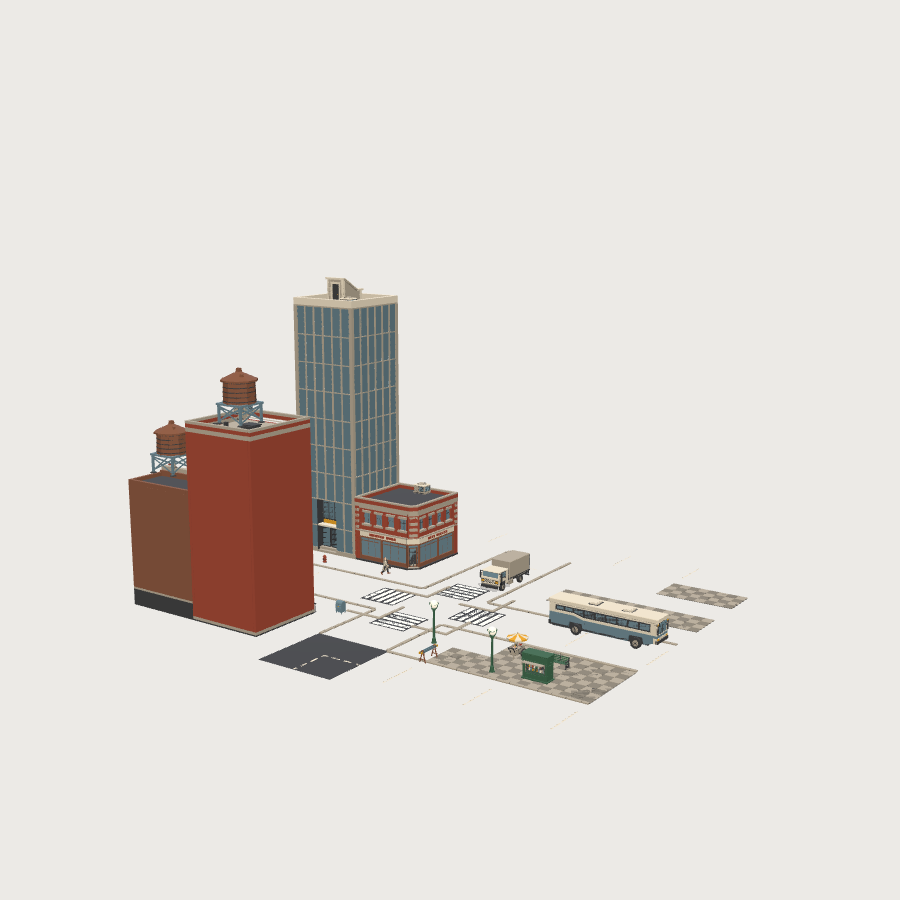
The whole kit: 41 matching parts, this one included · one palette, one scale
In production · watch it grow
Every asset and kit, current and future · lifetime updates
- 756 triangles · 1 material
- 1.8 × 0.94 × 0.73 m, real-world scale
- GLB (81 KB) + drop-in ES module
- Commercial license: games, apps, client work, anything. No attribution required. (No reselling the raw assets.)
Related assets

 Free
Free 

 Free
Free 