 threejs-3d-assets
Signpost
780 tris · 1 material · 2.06×2.69×0.25 m · GLB 86 KB · preview quality: purchase unlocks the full-detail files
Use it
These snippets use the files you download right after purchase.
The fastest path in three.js: one import, zero loaders. The module returns a ready THREE.Group with named parts.
import { createAsset } from './signpost-8287c3.mjs';
scene.add(createAsset());
Full working example (a complete copy-paste HTML page)
<!doctype html>
<script type="importmap">
{ "imports": { "three": "https://unpkg.com/[email protected]/build/three.module.js",
               "three/addons/": "https://unpkg.com/[email protected]/examples/jsm/" } }
</script>
<script type="module">
import * as THREE from 'three';
import { OrbitControls } from 'three/addons/controls/OrbitControls.js';
import { createAsset } from './signpost-8287c3.mjs';

const scene = new THREE.Scene();
scene.background = new THREE.Color(0xf3ecdc);
const camera = new THREE.PerspectiveCamera(45, innerWidth / innerHeight, 0.1, 100);
camera.position.set(3, 2, 4);
const renderer = new THREE.WebGLRenderer({ antialias: true });
renderer.setSize(innerWidth, innerHeight);
document.body.style.margin = 0;
document.body.appendChild(renderer.domElement);
scene.add(new THREE.HemisphereLight(0xffffff, 0x998877, 1.2));
const sun = new THREE.DirectionalLight(0xfff2e0, 2);
sun.position.set(4, 7, 5);
scene.add(sun);

scene.add(createAsset());
new OrbitControls(camera, renderer.domElement);
renderer.setAnimationLoop(() => renderer.render(scene, camera));
</script>
The standard route: load the GLB with GLTFLoader. The same file works in any glTF pipeline (Babylon.js, <model-viewer>, custom engines).
import { GLTFLoader } from 'three/addons/loaders/GLTFLoader.js';

new GLTFLoader().load('./signpost-8287c3.glb', (gltf) => {
  scene.add(gltf.scene); // real-world scale in meters, origin on the ground
});
Flat-shaded vertex colors on a single material: no textures to wire up, one draw call.
- Buy the asset, then download the .glb from this page.
- Unity: drag the file into Assets (glTFast or UnityGLTF import it). Godot: drop it into the project, it imports natively. Blender: File → Import → glTF 2.0.
- Place it as-is: real-world scale in meters, origin at ground level.
- Materials arrive as vertex colors on one material: no texture files, nothing to relink.
Using Claude Code, Cursor or another coding agent? This site is built for them: agent-readable docs at /llms.txt and a JSON API at /api. Paste this prompt:
Your agent authenticates with an API key: create one under My assets after purchase, and it can fetch everything you own.
I own "Signpost" on threejs-3d-assets.com. My API key is in
the THREEJS_ASSETS_KEY env var. Download it into my project and add it
to my three.js scene:

  metadata: GET https://threejs-3d-assets.com/api/assets/signpost-8287c3  files:    GET https://threejs-3d-assets.com/dl/signpost-8287c3.glb
            GET https://threejs-3d-assets.com/dl/signpost-8287c3.mjs
  (both with header  Authorization: Bearer $THREEJS_ASSETS_KEY)

Site docs for agents: https://threejs-3d-assets.com/llms.txt
Rigged parts: signs-left, signs-right. Each is a named group with its pivot at the hinge or axle, so one line animates it.
const asset = createAsset();
scene.add(asset);

// swing 'signs-left' open (tween this value for smooth motion):
asset.getObjectByName('signs-left').rotation.y = Math.PI / 4;
Loading the GLB instead? The same named nodes are there: gltf.scene.getObjectByName('signs-left').
GLB + ES module · commercial license
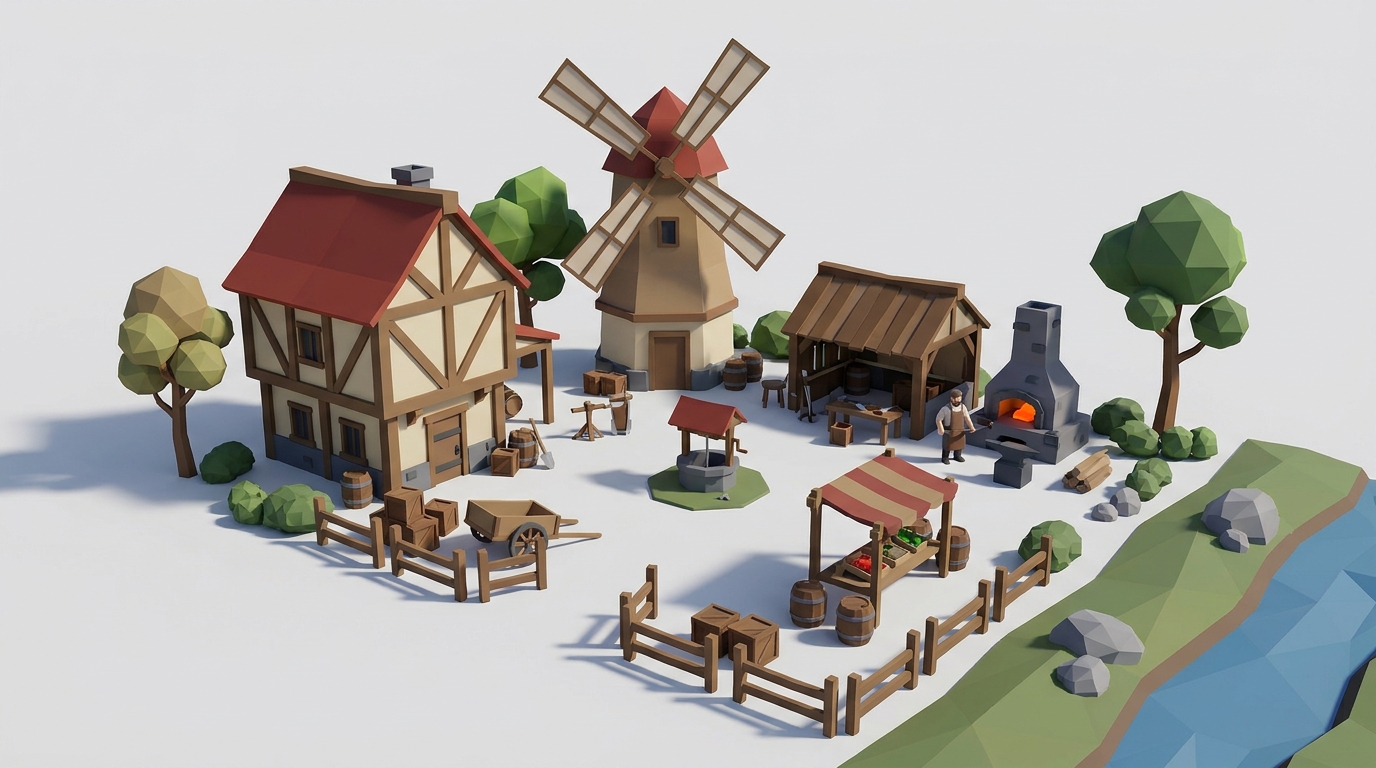
The whole kit: 44 matching parts, this one included · one palette, one scale
In production · watch it grow
Every asset and kit, current and future · lifetime updates
- 780 triangles · 1 material
- 2.06 × 2.69 × 0.25 m, real-world scale
- GLB (86 KB) + drop-in ES module
- Rigged: signs-left, signs-right
- Commercial license: games, apps, client work, anything. No attribution required. (No reselling the raw assets.)
Related assets


